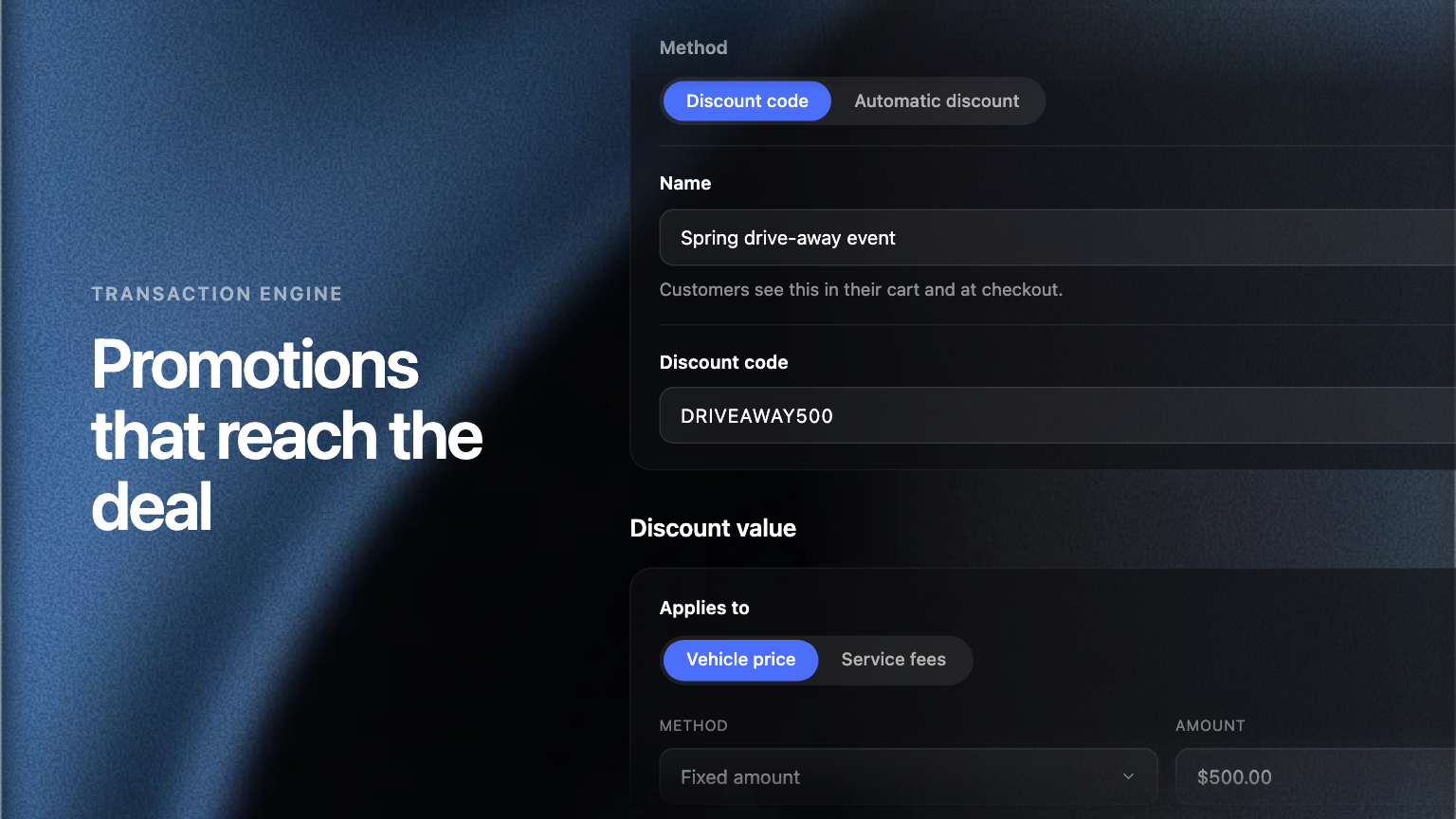
Promotions are configured in the Admin Portal and applied in checkout. Dealers and manufacturers each set their own, and the offers a buyer qualifies for are priced into the deal rather than advertised beside it.
Every dealership runs offers. What breaks is the distance between offer and deal: somebody has to remember it, decide whether this buyer qualifies, and key it in.
Set a promotion up once in the Admin Portal, and every buyer who qualifies gets it priced into their deal.
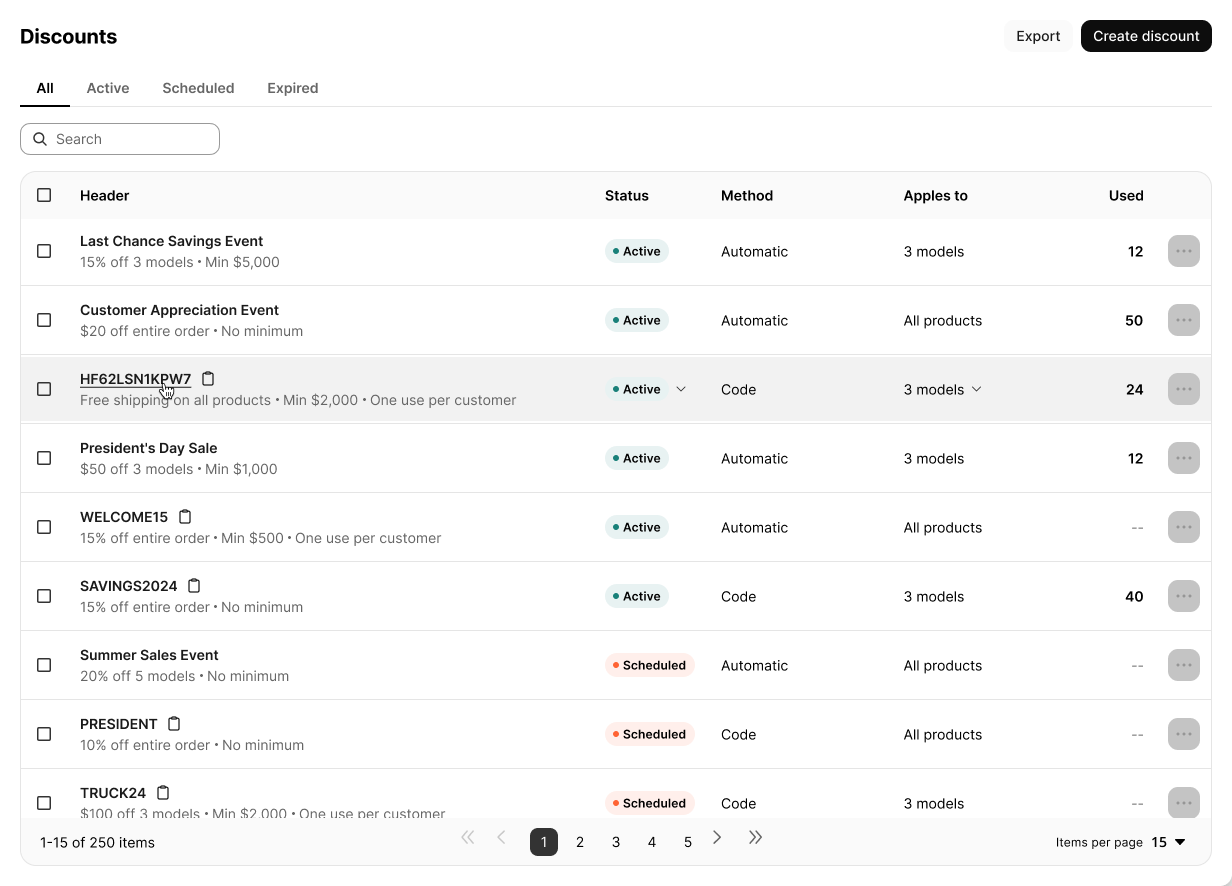
Offers on your terms
A promotion takes a fixed amount or a percentage off the vehicle price, and either applies on its own or sits behind a code you hand to a chosen list. Set the window it runs in and cap how often it is used.
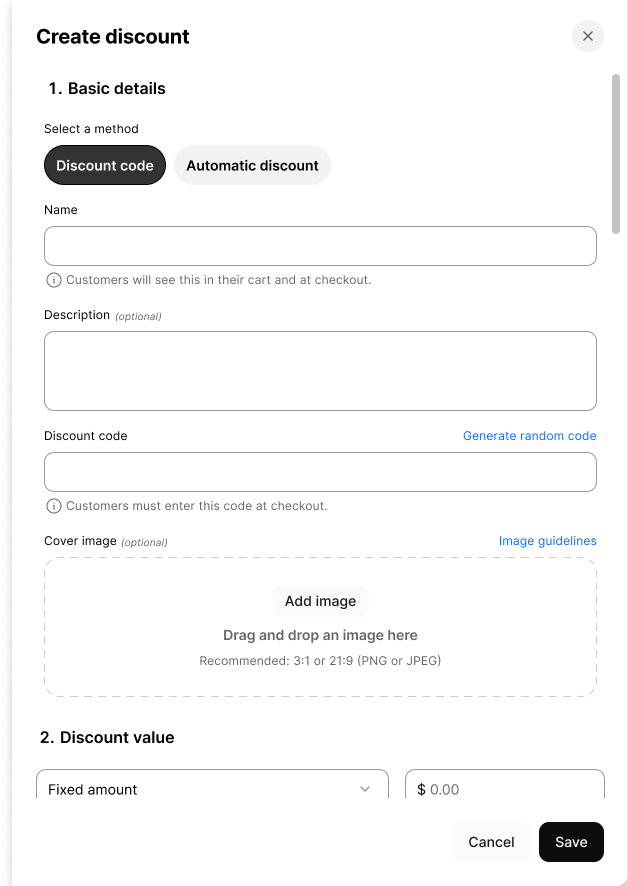
Eligibility that keeps working
Hand-pick the units an offer covers, or describe them by make, model and year and let matching inventory qualify. Units that arrive are covered, units that sell drop out, and there is no list to maintain.
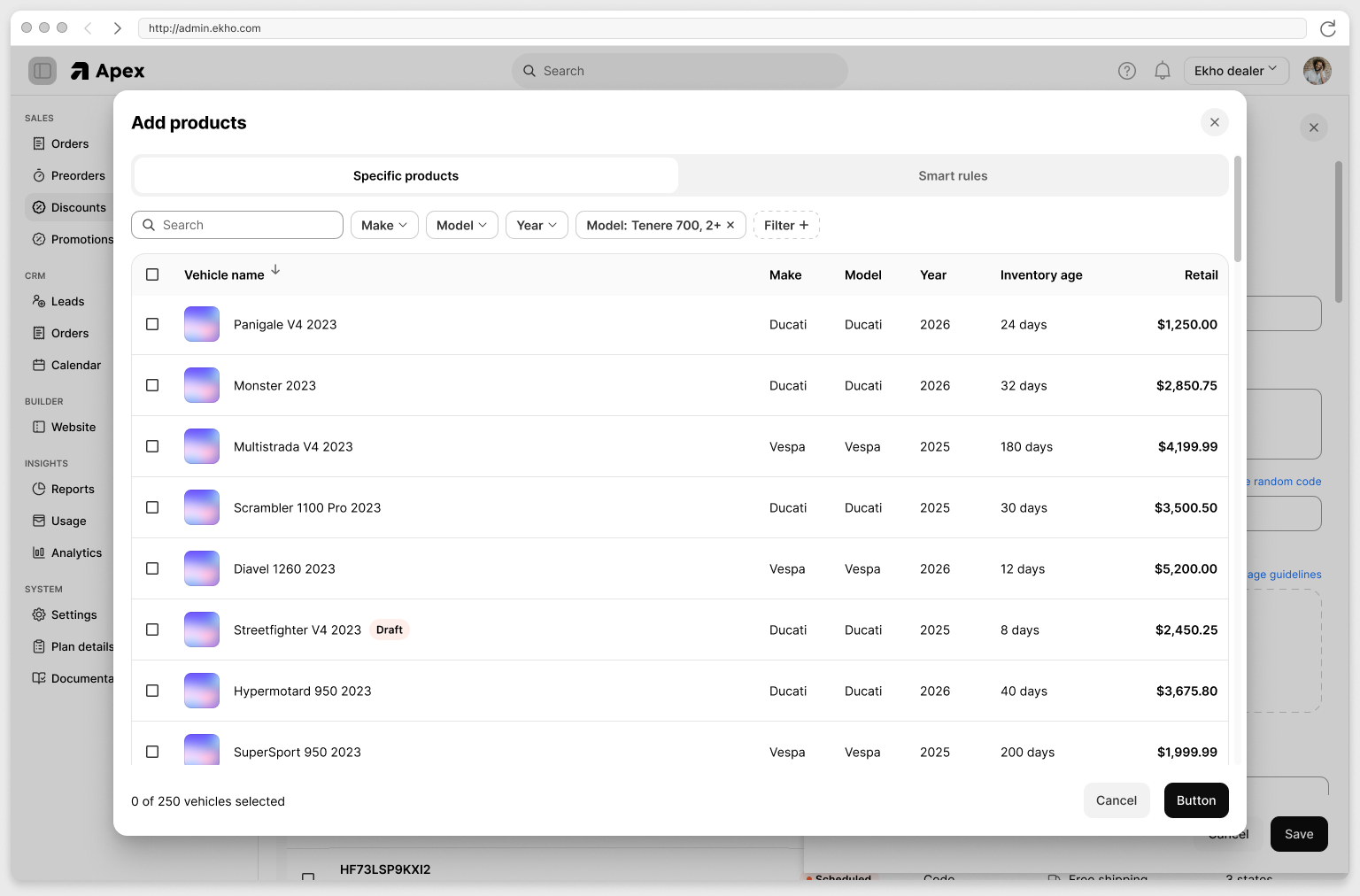
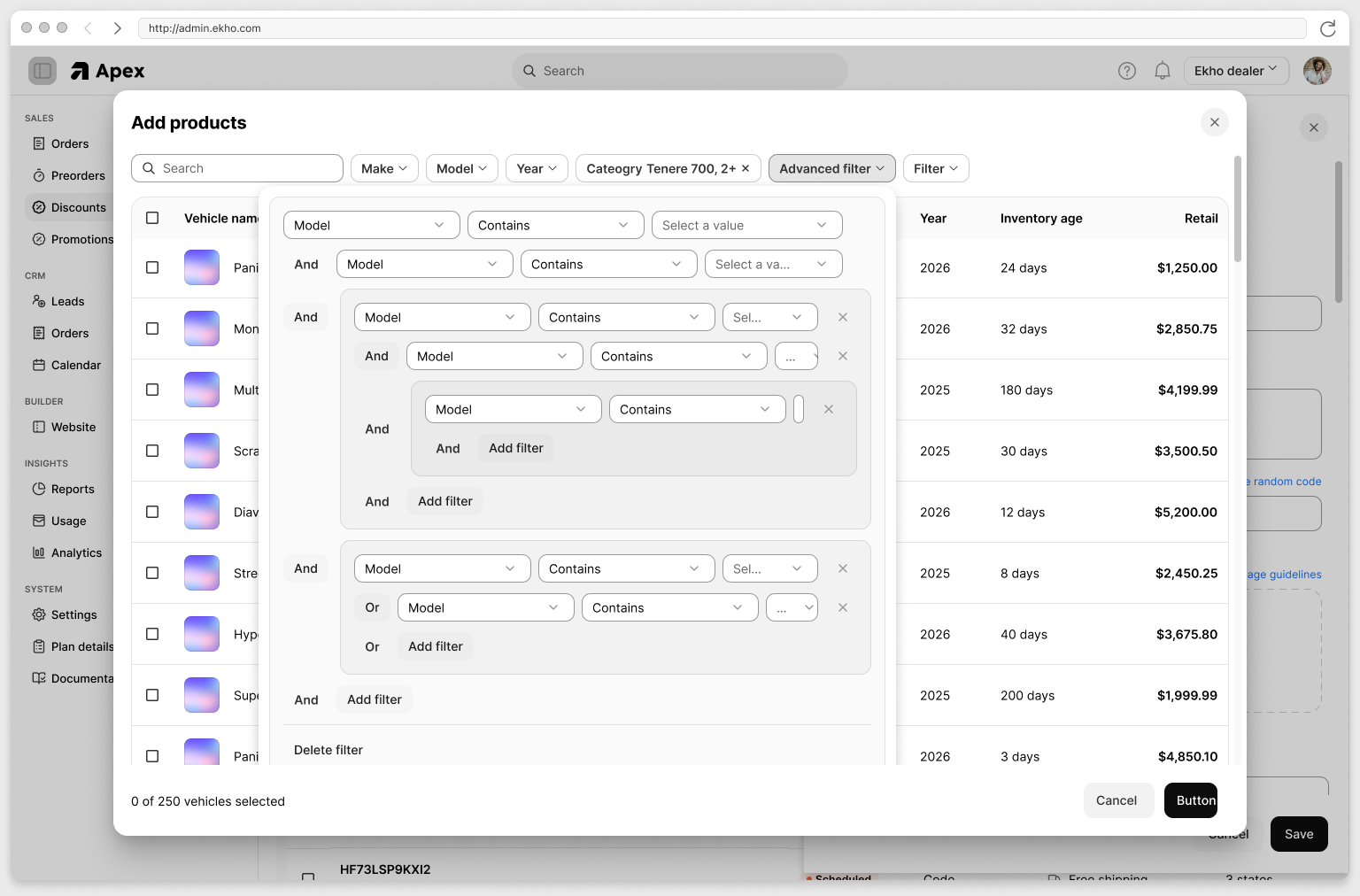
Manufacturer and dealer offers, side by side
Manufacturer promotions arrive already built and labeled by source. A dealer decides whether each one runs at their store, without affecting the rest of the network, and builds their own alongside them.
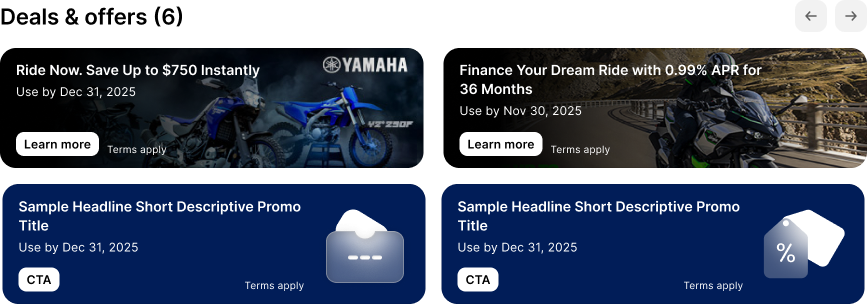
It lands in the deal, not next to it
Buyers see what they qualify for on the vehicle page and again in checkout, itemized in the payment breakdown. The number the buyer was shown is the number the paperwork carries. A discount that is not in the deal is a marketing message. A discount that is in the deal is a sale.
Where to find it
Promotions live in the Admin Portal. Speak to your Ekho contact to turn them on.
Frequently asked questions
Yes, for their own store. A dealer controls whether a manufacturer's offer runs at their rooftop, without affecting the rest of the network. They cannot edit or delete it, so the campaign stays what the manufacturer wrote.
Only if you want them to. A promotion either applies automatically to every buyer who qualifies, or sits behind a code you hand out to a specific list.