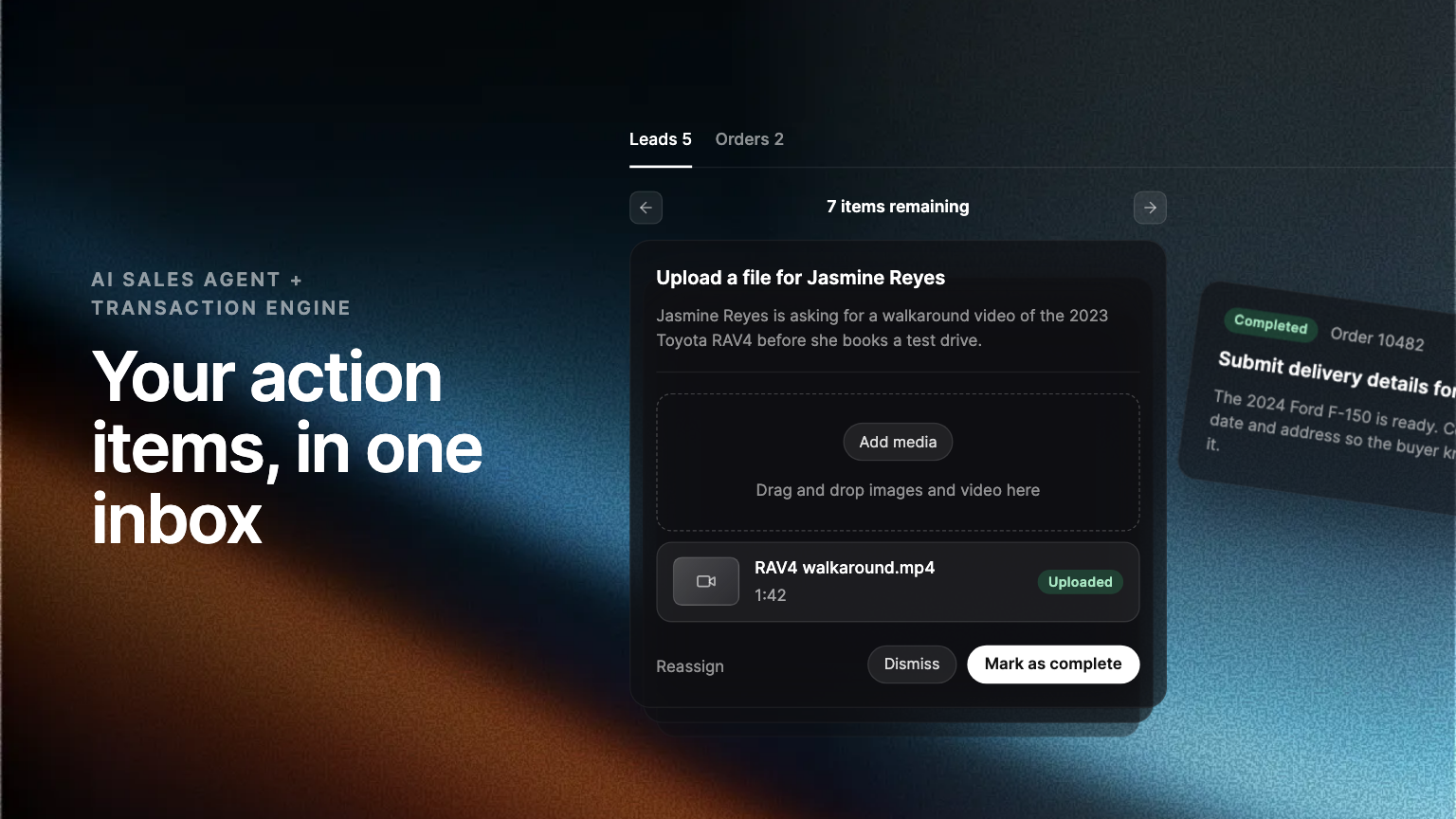
A new Action items tab under Inbox collects everything the AI Sales Agent needs from your team to keep a lead moving. Most items ask for a single answer, and the agent turns it into the reply and keeps the conversation going.
When a buyer asks something only your dealership can answer, the AI Sales Agent needs a person for a moment. It might be a price, a photo, or a financing detail. Those requests now have their own place in the Admin Portal, and most take a few seconds to clear.
One queue for everything the agent needs
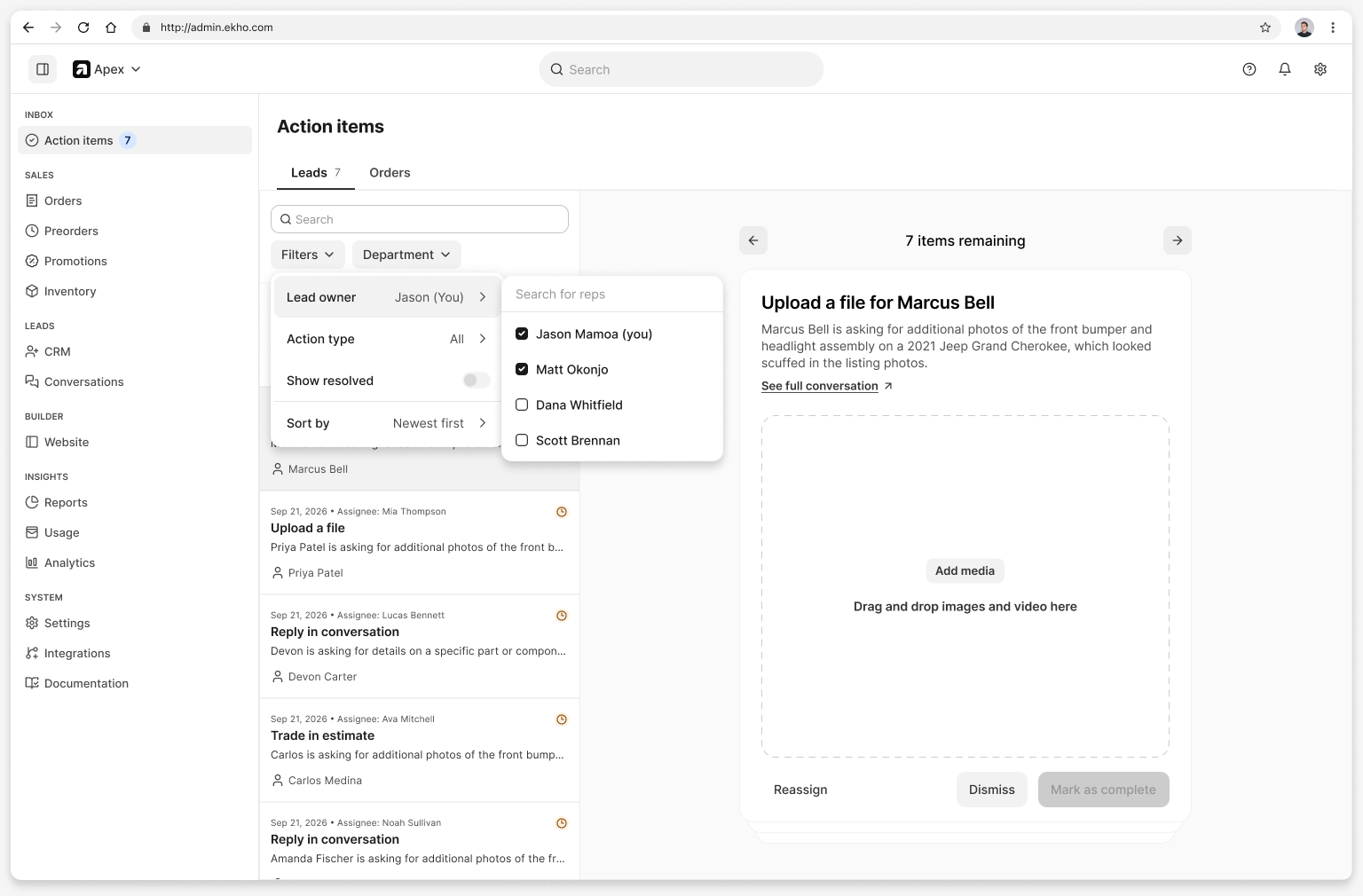
A new Action items tab under Inbox collects every open item that is holding up an AI Sales Agent lead. Each one names the buyer, the type of request, and what they asked. The tab opens on the items assigned to you, and you can filter by action type or by lead owner to see a colleague's items or the whole team's.
Answer once, and the agent writes the reply
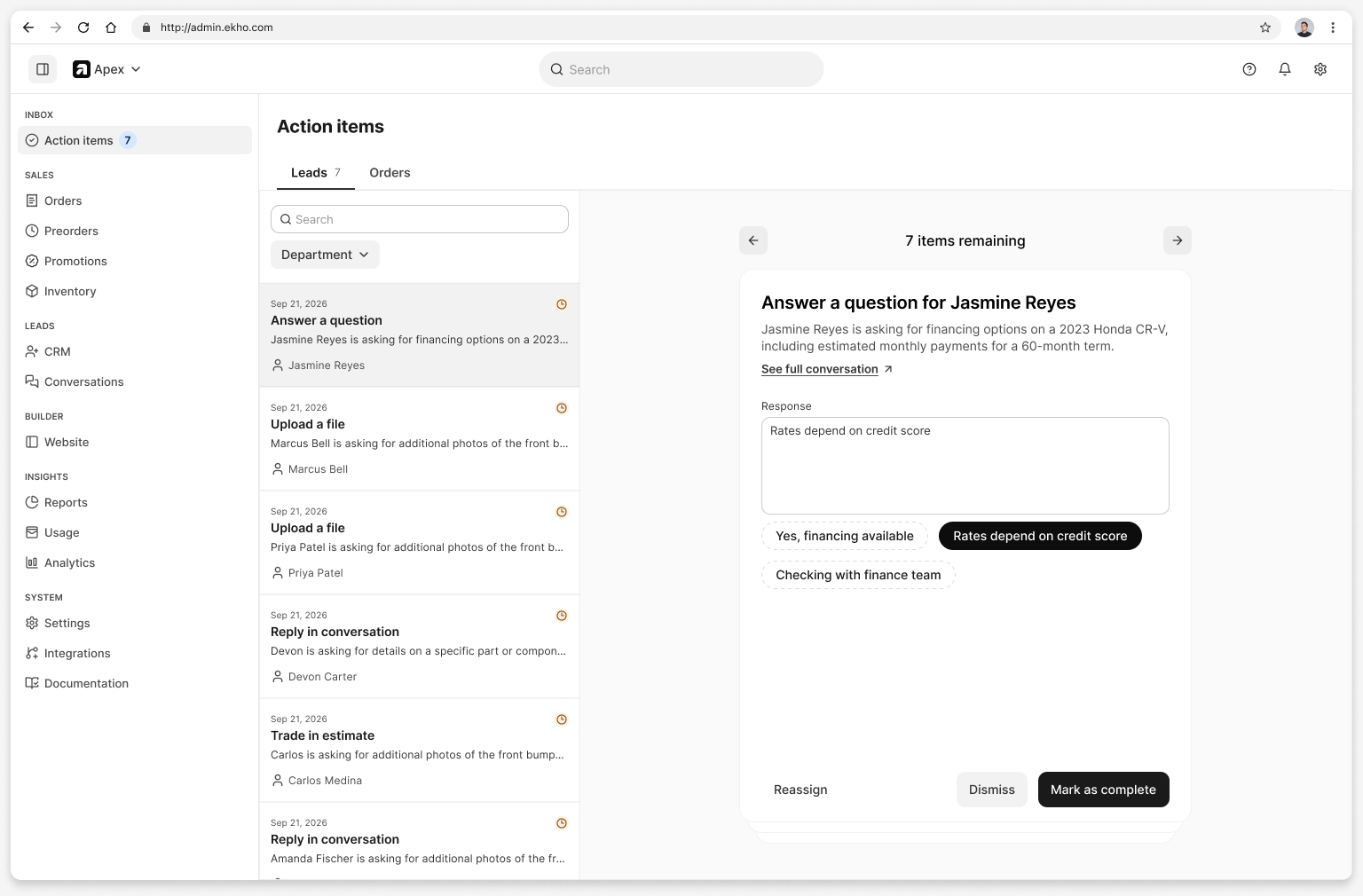
Most action items ask for a single answer rather than a full reply. If a buyer asks about a vehicle's price, you enter the price. If they ask about financing, you pick a suggested answer or type a few words. The agent writes the message, sends it to the buyer, and keeps the conversation going.
Fewer items, and the right ones
The agent handles more buyer questions on its own, and asks your team only when your input is required: information only you have, or a buyer who needs a person. The items that reach the queue are the ones worth your time.
Action items have also moved out of the Conversations tab, so that tab is simpler to work through.
Leads now, orders next
Lead action items are live for every customer today. Order action items sit in the same inbox, under the Orders tab, and we are turning them on customer by customer rather than for everyone at once. Your Ekho contact can tell you when they reach your dealership.
Where to find it
Open the Admin Portal and choose Action items under Inbox. Clearing the queue once a day keeps buyers moving.
Frequently asked questions
No. Give the answer in a few words, or pick a suggested one. The AI Sales Agent writes the reply, sends it, and keeps the conversation going.
Yes. The tab opens on the items assigned to you. Filter by lead owner or by action type to see anyone else's.
They moved to the Action items tab under Inbox, so the Conversations tab shows the conversations themselves.
Not yet. Lead action items are live for every customer. Order action items are rolling out customer by customer, and your Ekho contact can tell you when they reach you.