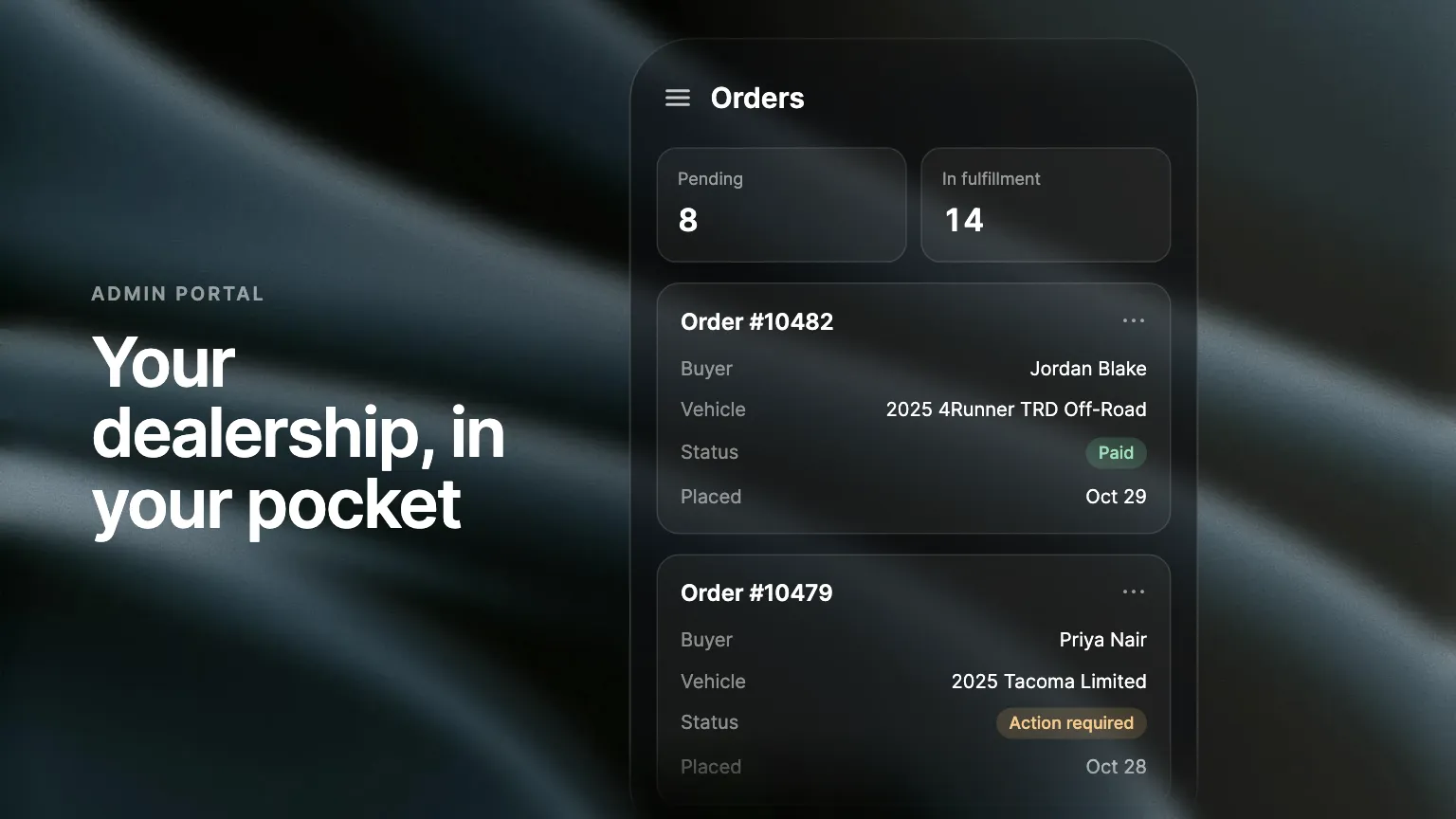
On a phone, every Admin Portal list turns into cards and every drawer fills the screen. Reply to a lead, review an order or invite a preorder buyer from wherever you are, with nothing to install.
The Admin Portal now works on your phone. Leads, orders and conversations fit the screen, so you can answer a buyer or check on a deal from the lot, the service drive or the road.
Every list fits the screen
On a phone, each table in the portal turns into a list of cards. An order card shows the order number, the buyer, the vehicle and the status, one line each, with no sideways scrolling. Leads, preorders, inventory and every other list work the same way. Tabs switch with a tap, and the numbers at the top of the page sit two to a row.
Reply to a lead from wherever you are
Open a lead and its drawer fills the screen. Read the conversation and text the buyer back, photos included, in the same thread your team sees at the desk. A buyer who writes while you are away from your computer gets an answer in minutes instead of hours.
Review an order on the go
Tap any order to open it full screen, with its progress and every detail you see on a laptop. On the Preorders list, each card has an Invite button, so you can ask a preorder buyer to finish their purchase without opening a laptop.
Where to find it
Open the Admin Portal in your phone's browser and sign in as usual. Tap the menu button at the top left, and the menu opens from the bottom of the screen. Bulk actions and exports stay on a tablet or computer.
Frequently asked questions
No. Open the Admin Portal in your phone's browser and sign in as you do on a computer.
No. On a tablet or a computer, the Admin Portal looks and works as it did before.