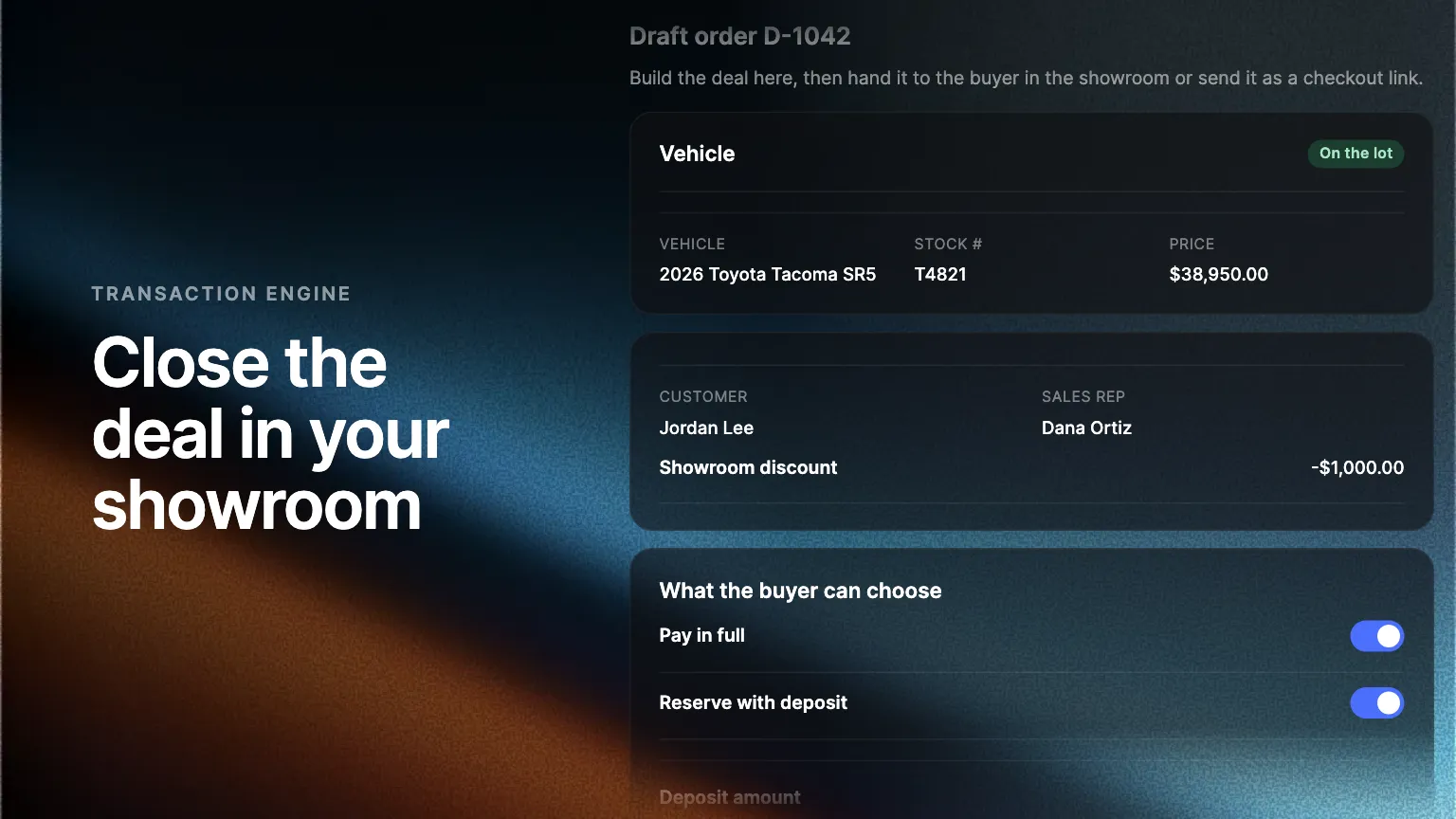
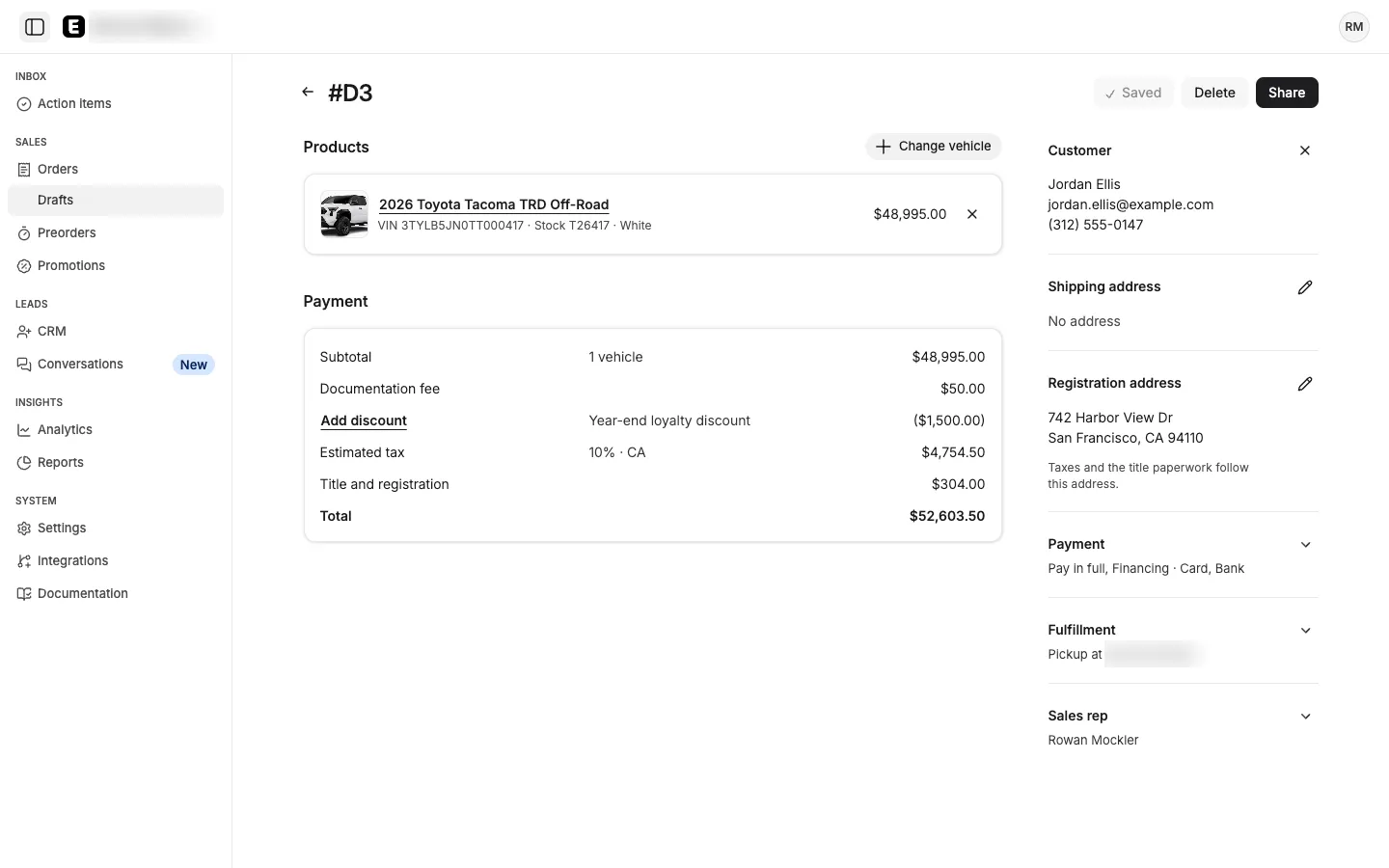
Reps build a draft order in the Admin Portal with the vehicle, the customer, a discount and the payment options the buyer gets. The buyer finishes checkout on a store tablet or from a link, paying in full, leaving a deposit or financing.
A buyer in your showroom is ready to buy. With draft orders in the Transaction Engine, your rep builds the deal in the Admin Portal and the buyer finishes checkout in a few minutes, with the rep's terms already in place.
Build the deal as a draft
A draft order holds one vehicle from your inventory, the customer from your leads, any discount you are offering, and the rep who sold it. The rep also chooses what the buyer can pick: pay in full, a deposit, or financing, and pickup or delivery. Drafts save as you work and sit under Orders, where you can search and export them.
Hand it to the buyer
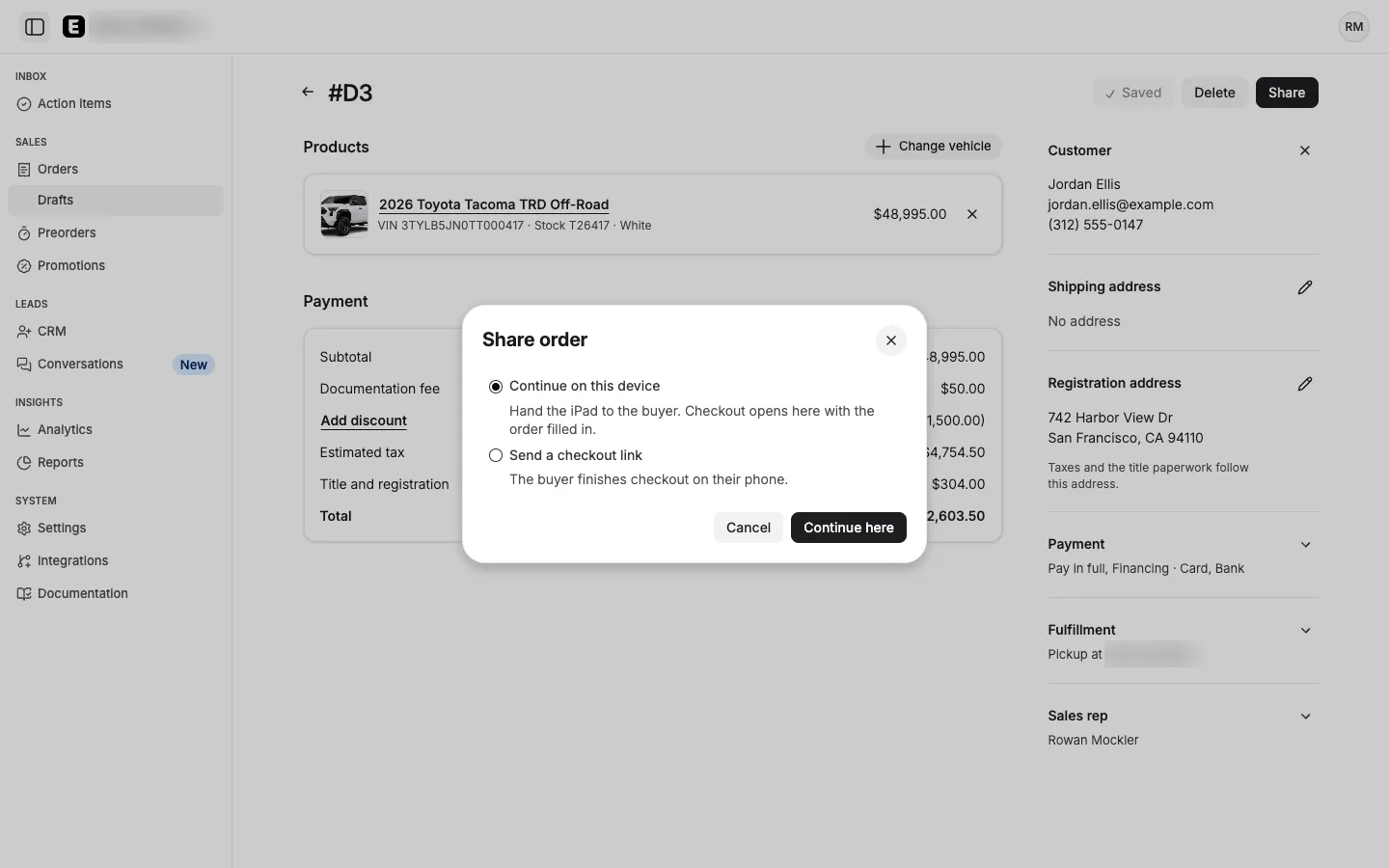
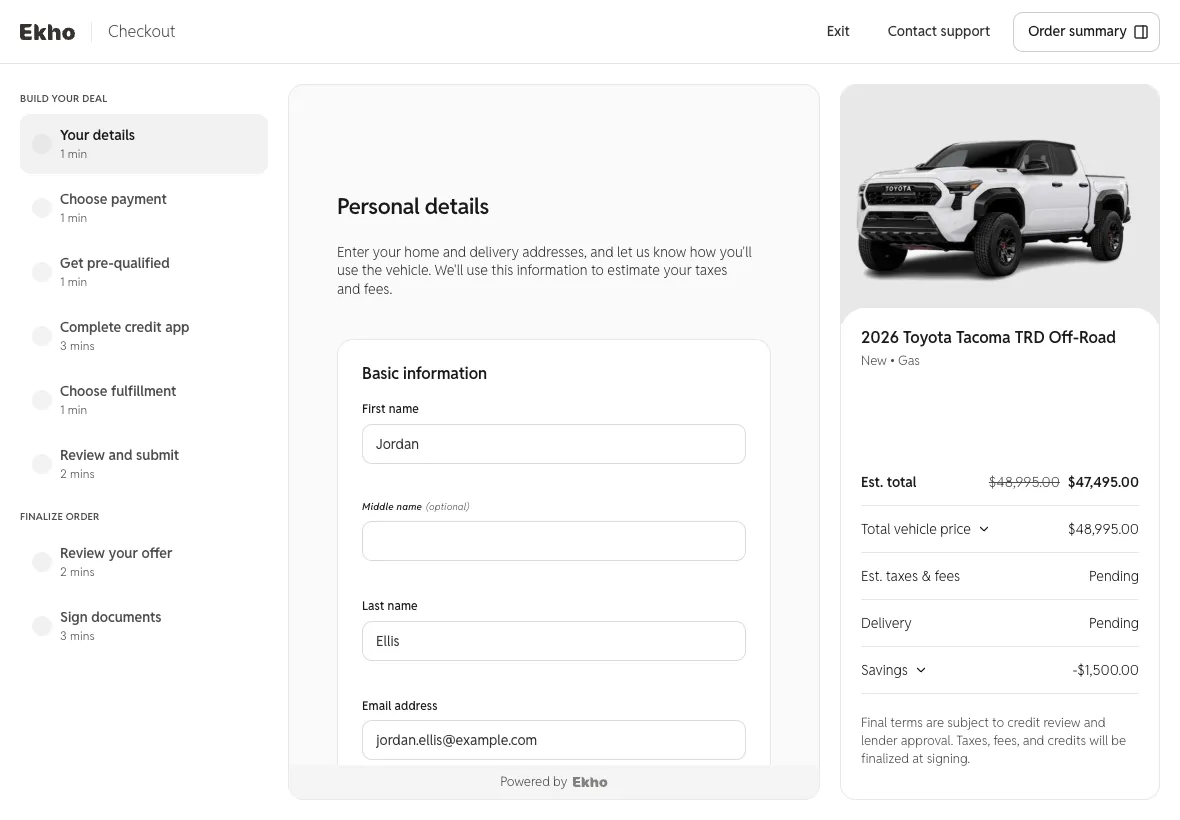
Share the draft on a store tablet, or send the buyer a checkout link if they have left the showroom. Checkout opens with the discount applied and the buyer's details filled in, and it offers only the options the rep chose.
Take the full amount or a deposit
The buyer can pay in full, or reserve the vehicle with a deposit the rep sets and pay the balance later. On a store tablet, checkout ends on a screen that asks the buyer to hand it back, and the rep returns to the Admin Portal. The order records which rep made the sale.
Where to find it
In the Admin Portal, open Orders, then Drafts, and choose Create order. Draft orders are rolling out now. Ask your Ekho contact to turn them on for your store.
Frequently asked questions
No. Send the draft as a checkout link and the buyer finishes from their own phone or computer, with the same terms.
Yes. When the rep offers a deposit, the buyer reserves the vehicle with it and pays the balance later.