Ekho Express is the way to put buying on a page you already own. One script tag adds a buy-now button and the AI Sales Agent, and helper functions start a checkout from your own code when the default button is not the right fit.
Not every sale starts on a listing page. It starts on a campaign page, a comparison page, an email landing page, a page your marketing team built last week.
Ekho Express is how buying gets onto those pages.
One script tag
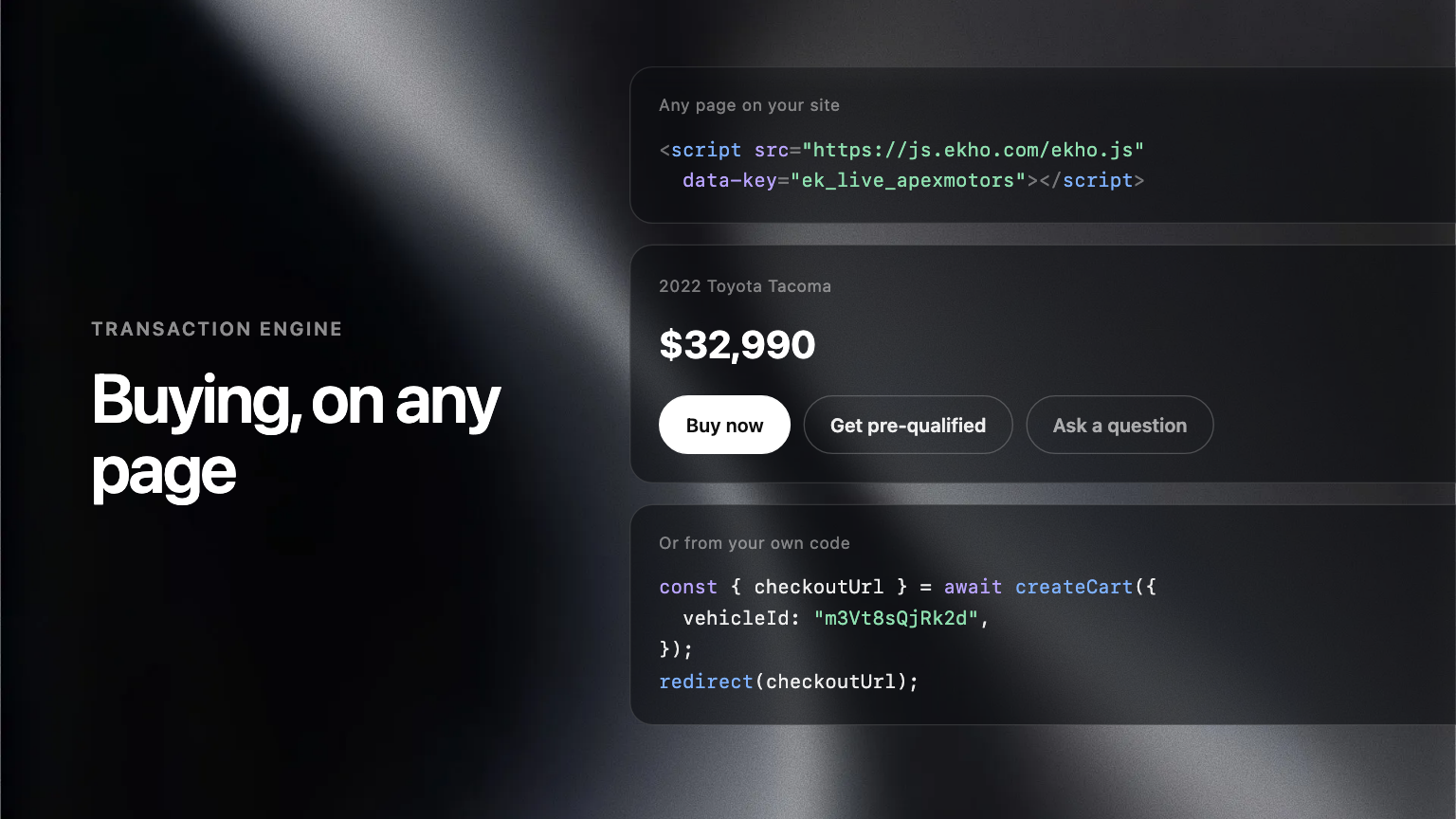
A single script tag adds Ekho to a page. From there you can place a buy-now button, or the AI Sales Agent, or both. There is no tag manager step and no separate install per surface.
Or drive it from your own code
When the default button is not the right fit, helpers let you start a checkout yourself: createCart() builds the cart, redirect() sends the buyer to the checkout URL it returns. A team that has built its own page gets to keep its own design and still hand off cleanly.
Why hand-built links stop working
Before this, embedding checkout meant assembling a URL by hand and hoping the shape never changed. It did change, and every partner who had guessed at it had to be told. A supported entry point means the page keeps working without anyone being told anything.
Where to find it
Admin Portal, Settings, AI Sales Agent, then Website, where the snippet is generated for your account.