Pick the deal stages in Ekho or your CRM that mean a sale closed, and Ekho texts each buyer a request to review your dealership on your Google Business Profile listing or a review page you choose. One request per buyer, with an optional follow-up.
Rolling out now. The settings are live in every account, and sending is switched on account by account. Your Ekho contact can tell you when it lands on yours.
Most buyers who had a good experience never leave a public review of the dealership, because nobody asked them at the moment it mattered. The AI Sales Agent now asks for you, and sends them straight to your Google listing.
What it does
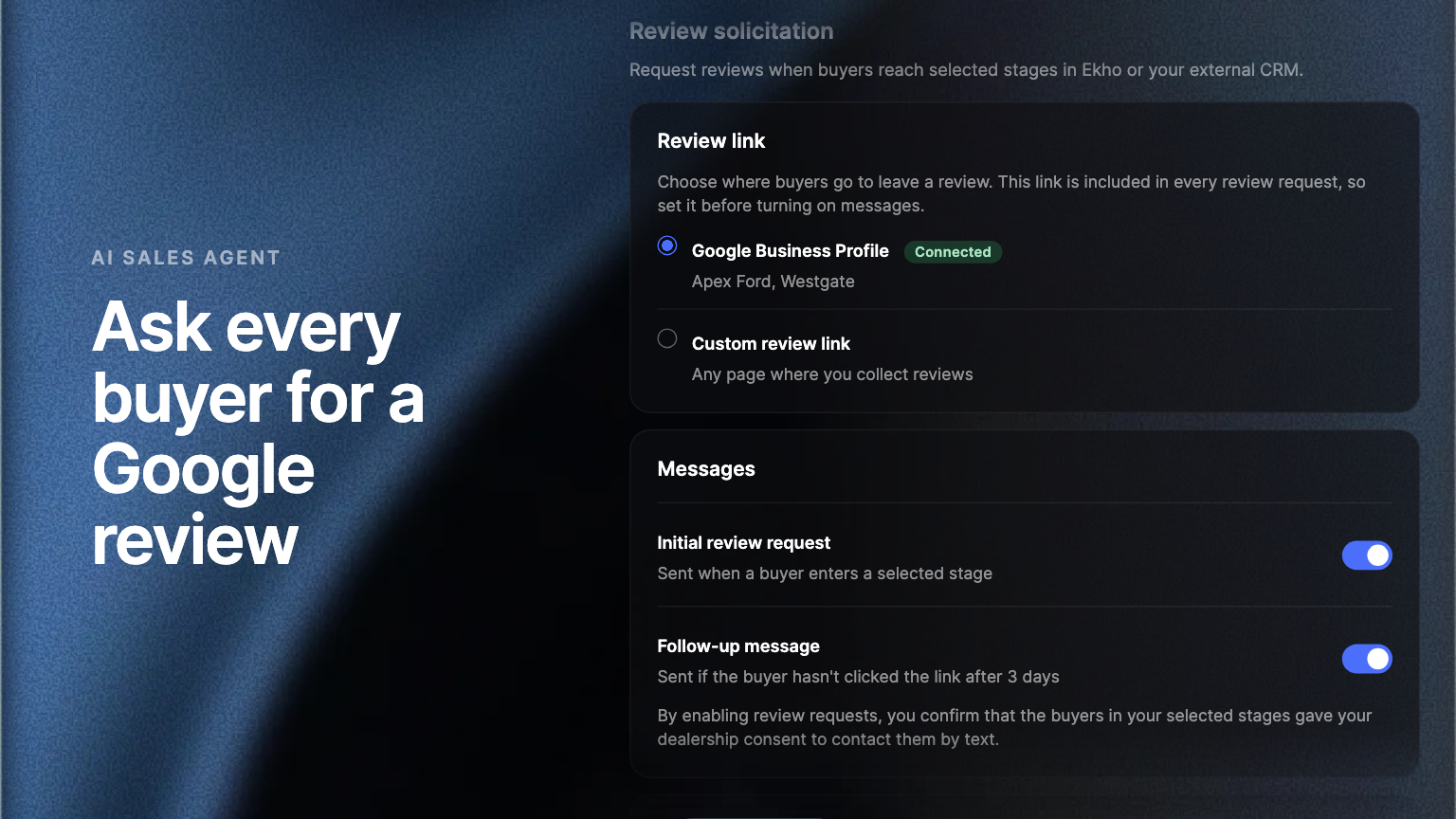
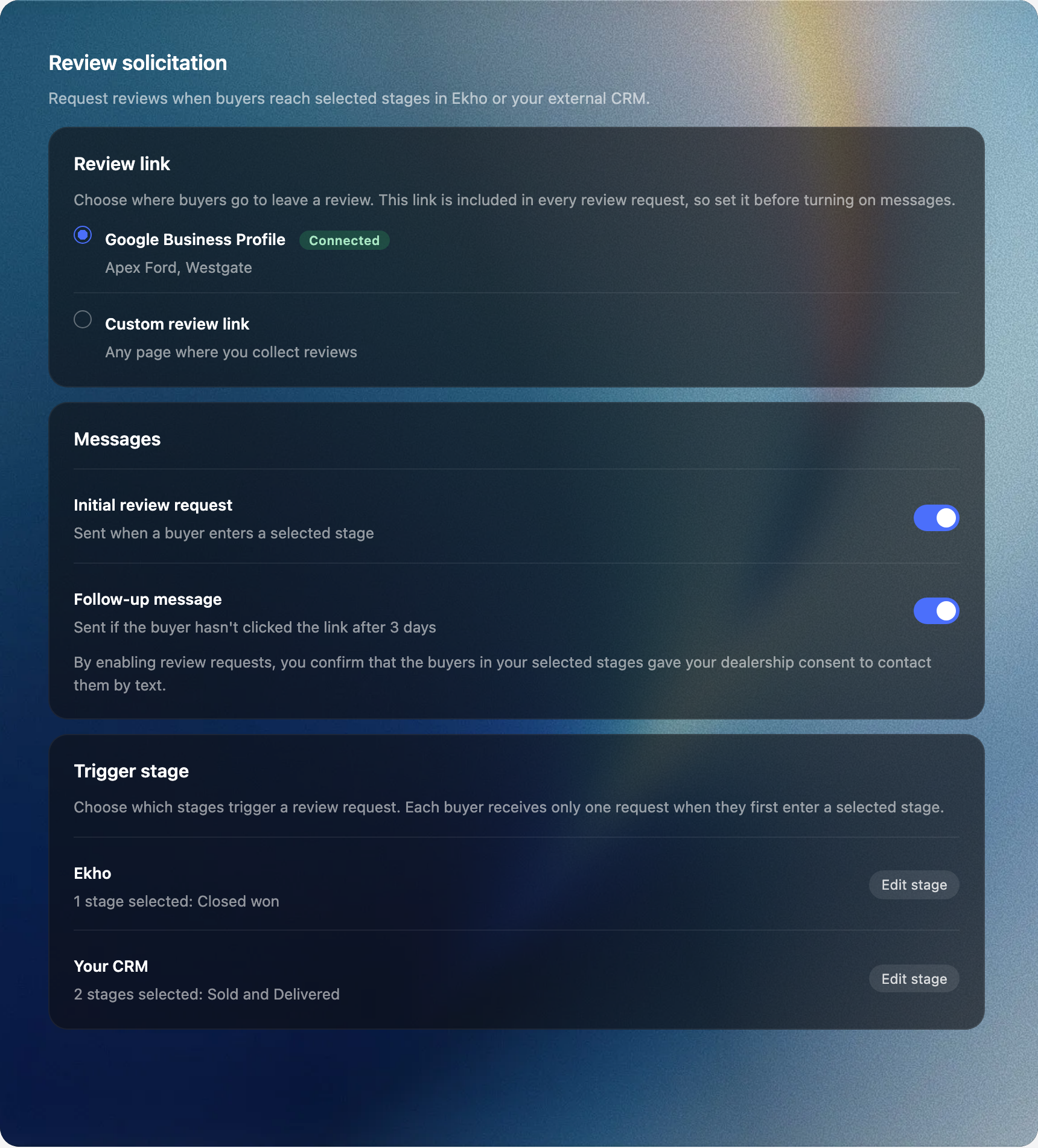
You choose the deal stages that mean a sale closed, in Ekho or in your CRM. When a buyer first reaches one of them, Ekho texts them a short request to review your dealership, with the link to your Google Business Profile listing or the review page you choose. If they have not clicked after a number of days you set, one follow-up goes out. A buyer is asked once, and a buyer who moves in and out of a stage is not asked again.
Your Google listing, or your own page
These are public reviews of your dealership, the ones a shopper reads before they visit. The request points at your Google Business Profile listing, if you have it connected, or at any public review page you choose. The stages are your own: the ones your CRM already uses, alongside the deal stages in Ekho, with nothing to rename.
One ask per buyer
Each buyer receives one request and at most one follow-up, from the number the AI Sales Agent already texts from. A buyer who has opted out of texts is never asked. When you turn requests on, you confirm that the buyers in your selected stages gave your dealership consent to be contacted by text.
Where to find it
In the Admin Portal, open Settings, then CRM, then Review solicitation, below Automated outreach. Set the Review link, the Messages, and the Trigger stages there. Your Ekho contact can switch sending on for your account.
Frequently asked questions
Any buyer who first reaches one of your selected stages after you turn requests on. Buyers who have opted out of texts are skipped, and no buyer is asked twice.
On the public review page your link points at: your connected Google Business Profile listing, or a custom review link you enter.