The Knowledge Hub is live. Upload any number of documents to the Admin Portal and the AI Sales Agent answers from them on web chat and over SMS, so buyers get your dealership's answer rather than a generic one.
An agent that only knows your inventory can only have half a conversation. Buyers ask about the things that never appear on a spec sheet: how far you deliver, what a plan covers, how your service department takes bookings.
Your dealership already has those answers, in a PDF somebody emailed around or a manufacturer program guide. The Knowledge Hub is where you hand them to the agent.
Upload the documents, and the agent knows them
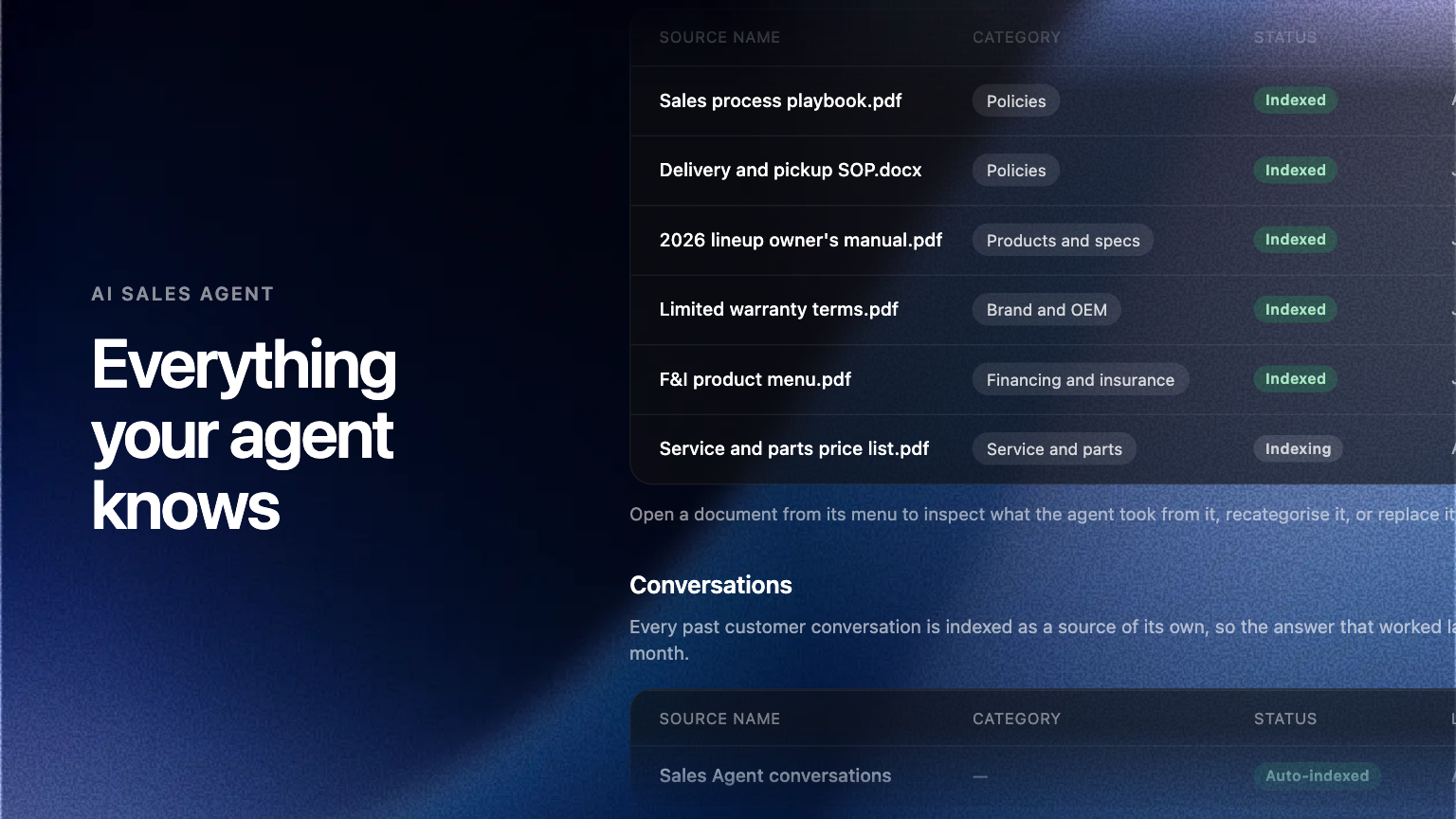
In the Admin Portal, under Settings, open Knowledge and upload your documents. PDF, Word and Markdown are all accepted, and each is filed under a category so you can see what your agent knows. From then on it draws on them in conversation, on your website chat and over SMS.
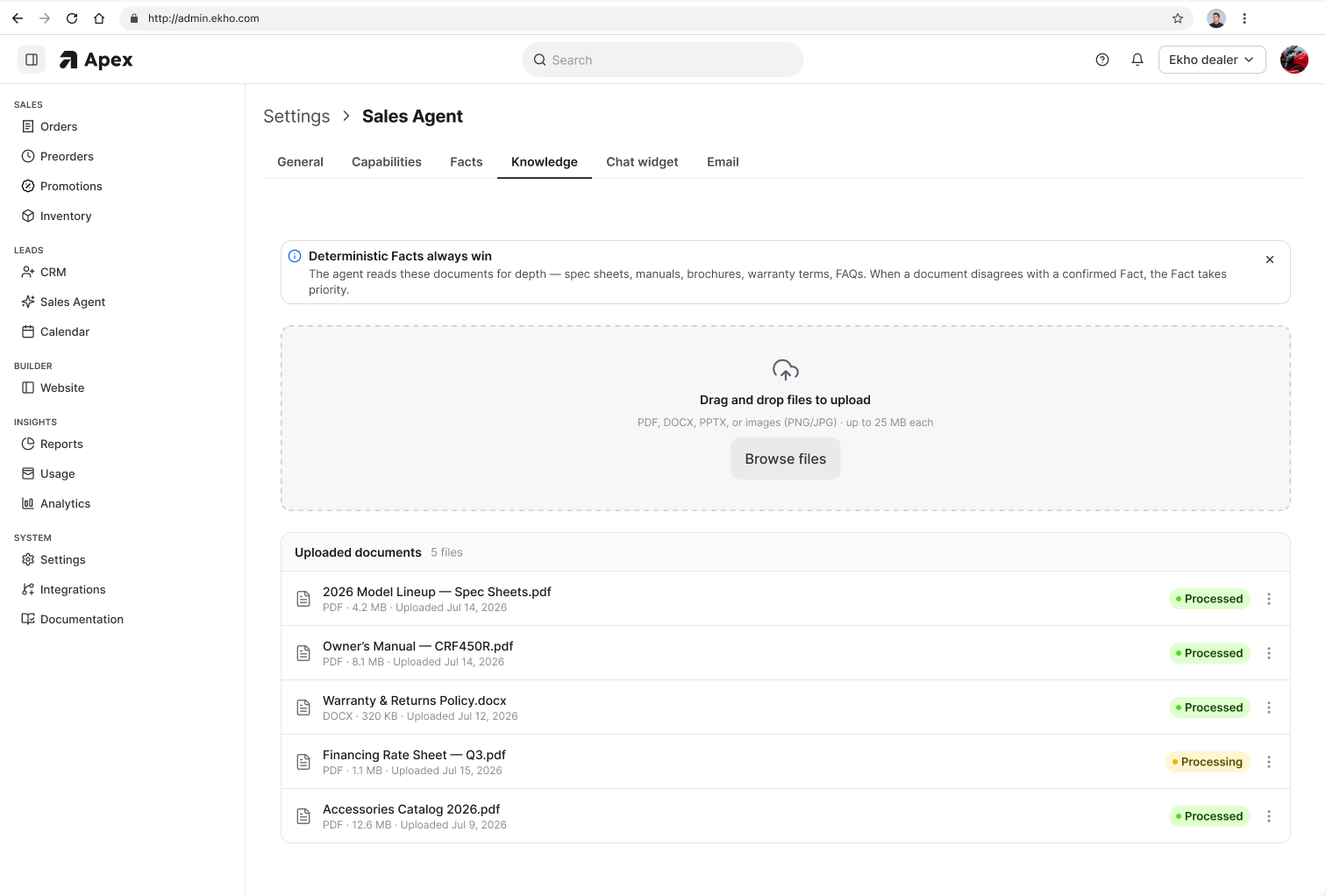
There is no cap on how much you give it
Upload one document or a hundred. There is nothing to trim down or summarize to fit a box. That matters most for groups: a store carrying six brands has six sets of manufacturer material, and none of it belongs in a text field somewhere. Past customer conversations count as a source too, with nothing to upload.
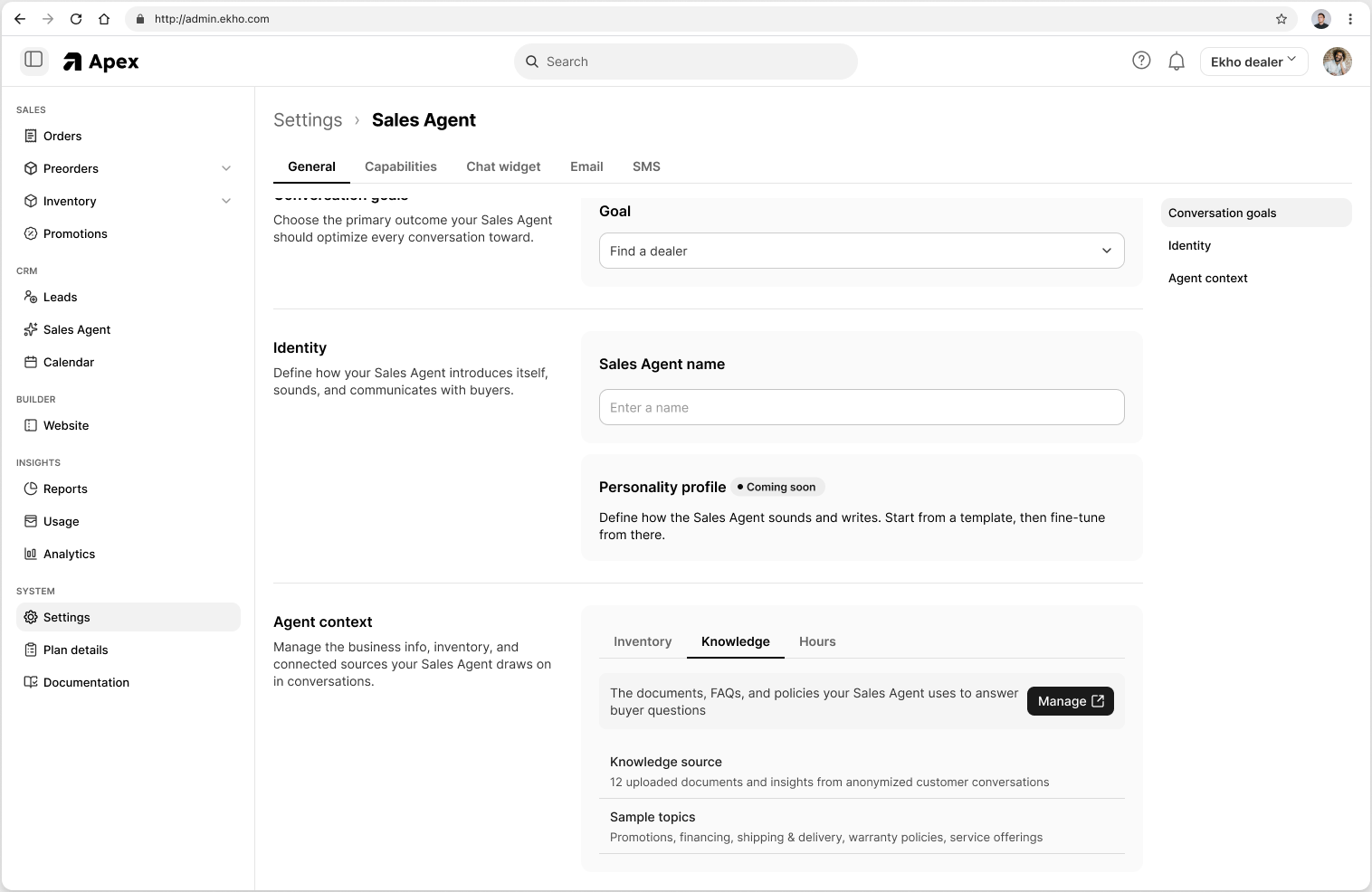
Take a document out and the agent stops using it
Programs end and policies change. A rate sheet from last quarter is worse than no rate sheet, because it is confidently wrong. Delete a document and it stops informing answers. Replace it and the new one takes over.
Why it changes the conversation
An agent working from inventory alone sounds like a search box with manners. An agent working from your documents sounds like somebody who works there.
Where to find it
Admin Portal, Settings, then Knowledge. Speak to your Ekho contact for a hand deciding what to load first.
Frequently asked questions
PDF, Word and Markdown documents. You can upload several at once, and there is no cap on how many you keep in the Knowledge Hub.
Both of the AI Sales Agent's channels: chat on your website and SMS.